
One window for your AI coding harnesses
MultiChamber is a Windows desktop app that runs several AI coding harnesses, today OpenCode and Pi, on the same project with one session view. It is a control layer, not another coding harness.
Status In active development toward a first Windows beta: Windows x64 only, no public release yet. What that means
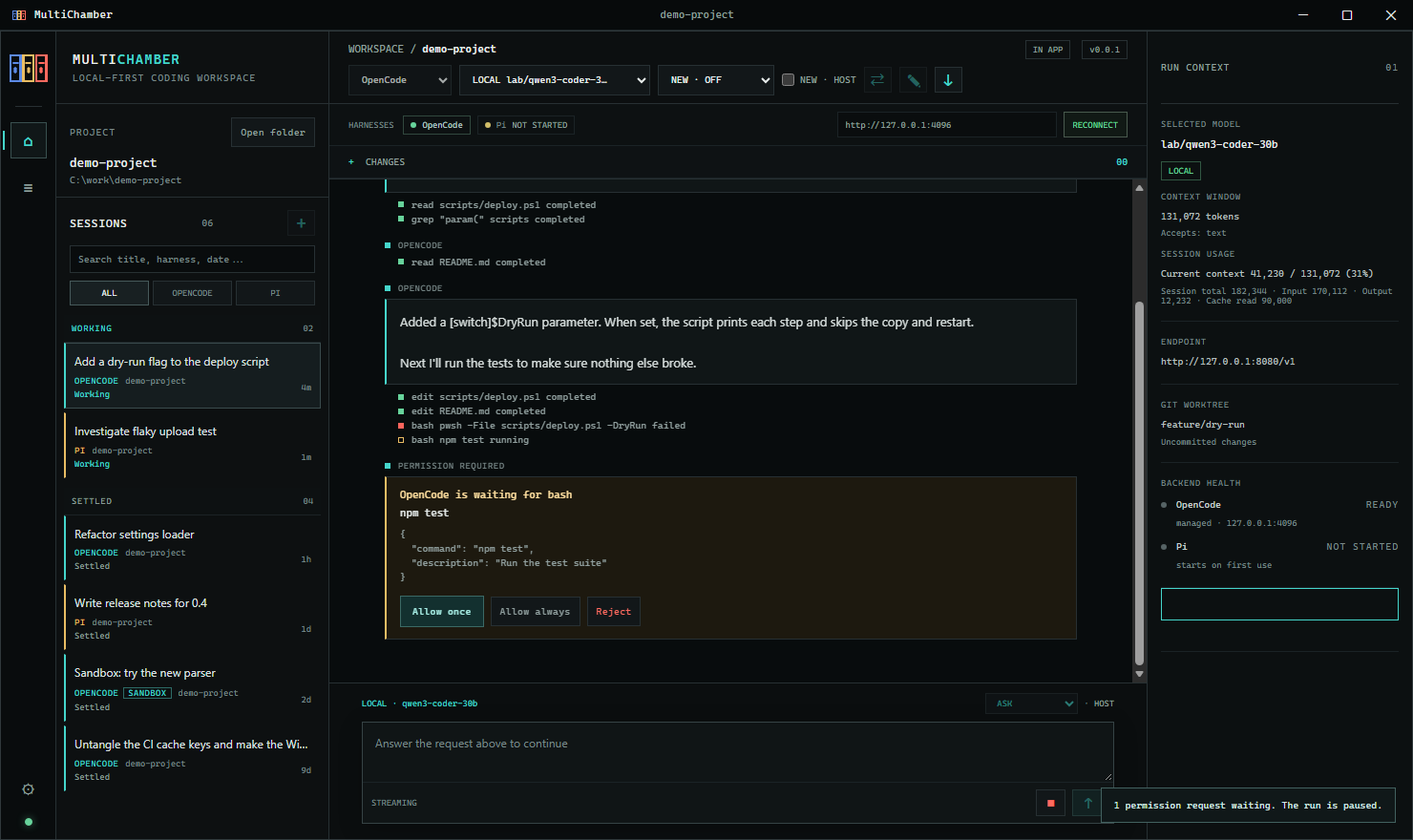
Several harnesses, one session list
Run OpenCode and Pi on the same project from one window. Every session shows its harness, and you can search by title, harness, project or date.
Continue in the other harness
Start a new session in the other harness from an editable, size-limited draft of the transcript and file changes. Nothing is sent until you send it, and the original session is untouched.
See where your prompts go
The selected model is labelled Local or Remote. Model discovery and prompts go only to the model servers you configure, with no silent cloud fallback.
Ask-first permissions
By default, managed OpenCode asks before shell commands, access outside the project, and web fetch or search; Allow all is opt-in. Pi runs with an explicit tool allowlist, which MultiChamber shows you.
Runs that outlive the window
In an advanced opt-in background mode, runs keep going after you close the window. Reopen the app, reconnect, and answer any prompt that waited. Nothing is approved for you.
Pinned, verified runtimes
Installers bring their own OpenCode, Node.js and Pi, pinned to exact versions and checked by hash. No global installs and no downloads on first use.
No telemetry from MultiChamber
No analytics, ads or crash reports. Diagnostic logs stay on your machine and leave out prompt and model-output text.
Opt-in updates from a signed feed
Update checks are off by default. Turn them on to be told about new versions or, on a per-user install, to install them when you quit.
What MultiChamber is, and isn’t
MultiChamber starts, connects to and supervises coding harnesses; it doesn’t replace them. Each feature works to the extent the harness supports it. For example, Pi has no per-call permission prompts, so MultiChamber shows its tool allowlist instead.
It is Windows x64 only for now. Linux and macOS are planned after the Windows beta. MultiChamber is open source under MIT OR Apache-2.0.
Local-first is a goal for how MultiChamber behaves, not a promise of absolute privacy: prompts go to the model servers you choose, with no telemetry from MultiChamber and no silent cloud fallback. If you choose a cloud provider, it receives the prompts and project context you send it, under its own privacy and retention terms, and tools you approve can still use the network. Privacy & security explains what MultiChamber sends, where, and the limits.